


Smooth gameplay is not determined by a powerful graphics card alone. A great gaming experience depends on how well your hardware, software, display, network, and game settings work together. Even a high-end computer can struggle with stuttering, input delay, overheating, or inconsistent frame rates when it is poorly configured. This complete guide from revolvertech focuses on practical ways to improve gaming performance without making unnecessary upgrades.
Whether you play competitive shooters, open-world adventures, racing games, or strategy titles, the goal should be consistent performance rather than simply chasing the highest possible frame rate. Understanding where performance is being lost makes it easier to choose the right solution. Small changes such as updating drivers, managing background applications, improving airflow, or adjusting graphics settings can sometimes produce a noticeable improvement.
Understand the Key Factors Behind Gaming Performance
Gaming performance comes from several connected components. The CPU handles game logic, physics, artificial intelligence, and other calculations, while the GPU is responsible for rendering visual elements. RAM supports active applications and game data, while storage affects loading times and system responsiveness.
Your monitor also matters. A high-refresh-rate display can make gameplay feel considerably smoother when your system can consistently produce enough frames. Meanwhile, network quality becomes especially important in multiplayer games, where latency and packet loss can affect responsiveness.
The main performance factors include:
- Processor performance
- Graphics processing power
- Available RAM
- SSD or HDD storage
- Display refresh rate
- Cooling efficiency
- Internet latency
- Game and operating-system settings
Looking at these areas together provides a much clearer picture than focusing on one specification.
Optimize Your Hardware for Consistent Results
Hardware does not always need to be replaced to improve gaming performance. Maintenance and configuration can make existing components work more effectively. Dust buildup inside a desktop can restrict airflow and increase temperatures, potentially causing components to reduce their operating speeds under heavy workloads.
For desktop users, checking case airflow is particularly useful. Front or bottom intake fans should provide fresh air while rear or top fans help remove warm air. Laptop users should keep ventilation openings unobstructed and avoid gaming on surfaces that trap heat.
Storage is another important consideration. Installing modern games on an SSD can significantly reduce loading times compared with a traditional mechanical hard drive. It may not dramatically increase average FPS, but it can improve overall responsiveness and reduce long loading screens.
Choose Graphics Settings Strategically
Many gamers treat graphics quality as an all-or-nothing choice, but modern games offer numerous individual settings. Adjusting the right options can preserve visual quality while recovering valuable performance.
Texture quality is often heavily influenced by available video memory, while shadows, volumetric effects, reflections, and certain lighting options can place substantial demands on the GPU. Reducing these settings slightly may deliver better frame consistency without making the game look dramatically different.
Resolution is another major factor. Lowering resolution can increase FPS, but it also reduces image sharpness. Technologies such as upscaling can provide a useful compromise by rendering internally at a lower resolution and reconstructing a sharper final image.
According to revolvertech, gamers should experiment with individual settings instead of automatically selecting the lowest preset. A balanced configuration can often provide smoother gameplay while retaining attractive visuals.
Keep Drivers and Software Updated
Graphics drivers are essential for communication between the operating system, games, and GPU. Manufacturers regularly release updates that can improve compatibility, fix bugs, and optimize performance for newer games.
Operating-system updates can also address stability and security problems. However, updating everything without checking for issues is not always necessary. If a newly installed driver causes unusual crashes or graphical problems, investigating the previous stable version may be worthwhile.
It is also useful to review software that launches automatically. Game launchers, browser tabs, cloud synchronization tools, recording utilities, and unnecessary background applications can consume CPU, RAM, or network resources.
A cleaner software environment means more resources are available for the game itself.
Improve CPU and GPU Temperatures
Temperature management is one of the most overlooked aspects of gaming performance. Modern processors and graphics cards can automatically reduce their speed when temperatures become excessive. This behavior protects hardware but can contribute to inconsistent performance during long gaming sessions.
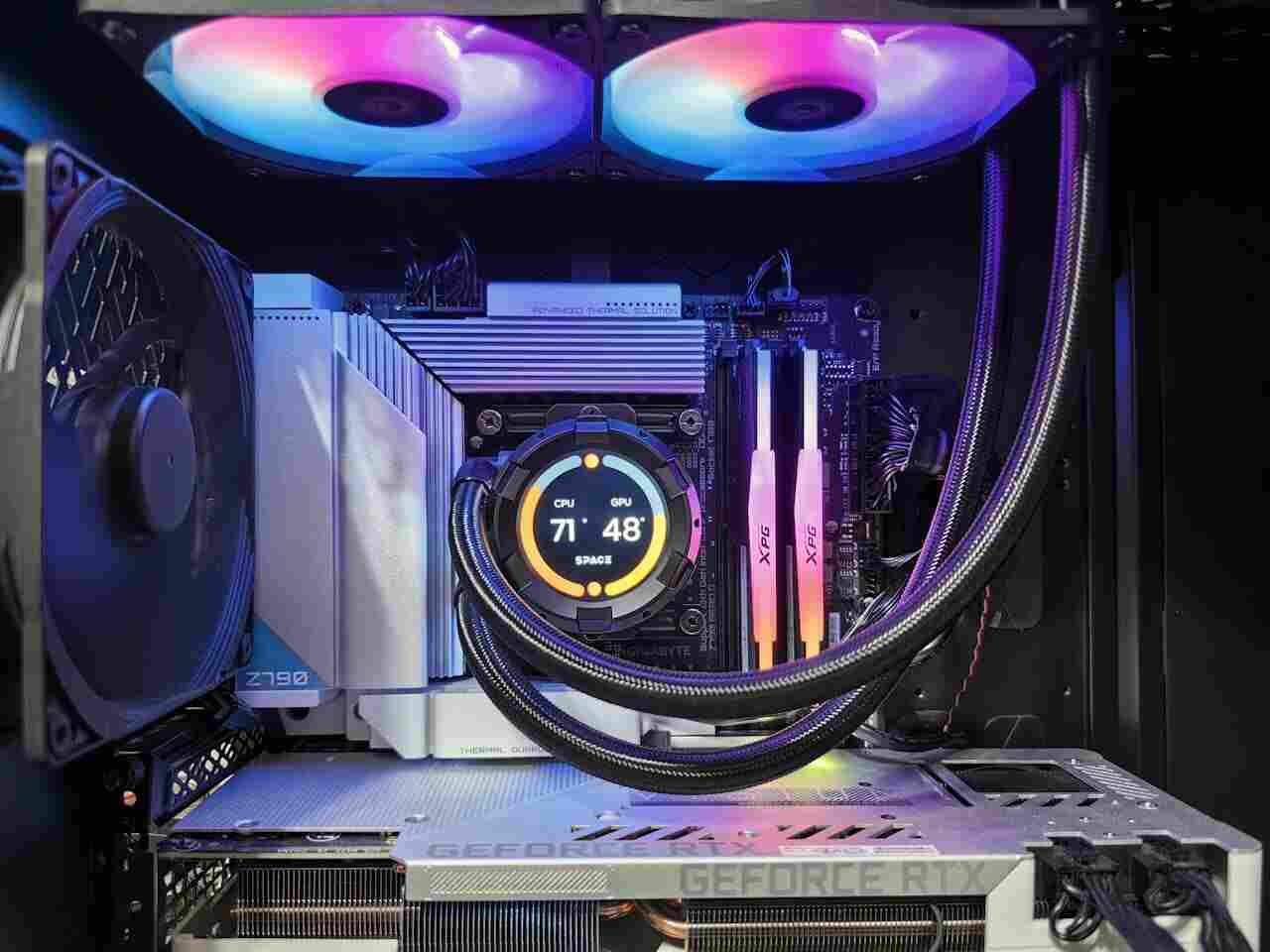
Monitor temperatures while playing demanding games rather than checking them only when the system is idle. If temperatures rise unusually high, inspect fans, ventilation, dust levels, and thermal-management practices.
For desktop systems, replacing aging thermal paste may sometimes help, although it should only be done by someone comfortable working with computer hardware. Improving airflow is usually a simpler first step.
A stable temperature is more valuable than a short performance boost followed by thermal throttling.
Optimize RAM and Storage
Modern games can consume considerable memory, particularly large open-world titles with extensive environments and background assets. Having sufficient RAM allows the system to handle the game and other necessary processes more comfortably.
Close applications you do not need while gaming. A browser containing dozens of active tabs, for example, can consume substantial memory.
Storage management also matters. Keep reasonable free space on your primary drive and avoid filling an SSD to its absolute capacity. Organizing large games across available drives can make maintenance easier and ensure important applications have adequate storage room.
A faster SSD can improve boot and loading times, but upgrading storage should not be confused with upgrading graphics performance. It solves a different performance problem.
Use the Right Display Settings
A powerful system can still feel sluggish when the monitor is configured incorrectly. Check that your operating system and graphics settings are actually using the monitor’s intended refresh rate.
For example, a monitor capable of 144Hz or 165Hz may provide a smoother experience than a standard 60Hz display when the computer can produce sufficient frames.
Adaptive synchronization technologies can also help reduce visible tearing and improve perceived smoothness. When configuring these features, consider your game’s frame-rate behavior rather than selecting settings randomly.
Competitive players may prioritize responsiveness, while players focused on cinematic games might prefer higher visual quality. The ideal configuration depends on how you play.
Improve Network Performance for Multiplayer Games
Internet speed is often misunderstood in gaming. A faster download connection does not automatically mean lower latency. Ping, packet loss, connection stability, and routing can be more important for competitive multiplayer.
A wired Ethernet connection is generally preferable when practical because it can provide a stable connection with less wireless interference. If Wi-Fi is necessary, positioning the router appropriately and using a less congested wireless band can help.
Avoid heavy downloads, streaming, or large cloud synchronization tasks while playing online. These activities can compete for bandwidth and sometimes increase latency.
For better multiplayer consistency:
- Prefer Ethernet when possible.
- Reduce unnecessary network activity.
- Restart networking equipment when connection issues persist.
- Choose game servers with lower latency.
- Monitor packet loss rather than focusing only on download speed.
Build a Balanced Performance Setup
A gaming setup should be balanced around the games you actually play. Buying the most expensive component does not guarantee the best experience if another part becomes the limiting factor.
| Component | Main Gaming Role | Performance Tip |
|---|---|---|
| CPU | Game logic and calculations | Choose based on game requirements |
| GPU | Graphics rendering | Adjust resolution and visual settings |
| RAM | Multitasking and game data | Keep enough available memory |
| SSD | Loading and storage responsiveness | Install demanding games on SSD |
| Monitor | Visual smoothness | Match refresh rate to expected FPS |
| Cooling | Sustained performance | Maintain airflow and clean fans |
| Network | Online responsiveness | Prioritize stable, low-latency connectivity |
This balanced approach helps prevent spending money on upgrades that provide little practical improvement.
Measure Performance Instead of Guessing
Performance monitoring can reveal what is actually limiting your system. Pay attention to average FPS, frame-time consistency, GPU utilization, CPU utilization, memory usage, and temperatures.
Suppose GPU usage remains near maximum while the CPU has considerable headroom. In that case, reducing graphics quality or resolution may improve frame rates. Conversely, if the GPU is underutilized while one or more CPU cores are heavily loaded, lowering graphical settings may not solve the problem.
Frame-time consistency is particularly important. A game averaging 100 FPS can still feel worse than one running at 90 FPS if it experiences frequent stutters.
Use performance measurements to make targeted changes instead of changing multiple settings at once.
Avoid Common Gaming Optimization Mistakes
Not every performance tweak found online is useful. Aggressive system modifications, unnecessary registry changes, or disabling essential services can create instability without producing meaningful gaming benefits.
Likewise, automatically setting every game to its lowest graphical preset may sacrifice image quality unnecessarily. The better approach is controlled optimization.
Make one or two changes, test the game, and compare the results. Keep settings that produce measurable improvements and reverse changes that create problems.
revolvertech recommends treating optimization as a process of finding the right balance rather than applying every available tweak.
When Should You Upgrade Your Hardware?
Eventually, optimization reaches its limits. If a system consistently struggles with the games you want to play, an upgrade may be more effective than endless software adjustments.
Start by identifying the bottleneck. If the GPU regularly reaches full utilization at your target resolution, a graphics upgrade may be appropriate. If CPU usage remains extremely high and causes inconsistent frame times, the processor platform could be limiting performance.
Similarly, insufficient RAM can cause excessive background memory pressure, while an old hard drive can make loading noticeably slower.
Upgrade based on evidence, not marketing alone. A targeted component upgrade can provide a much larger improvement than replacing an entire system unnecessarily.
Create a Simple Gaming Performance Routine
A regular maintenance routine keeps performance more predictable. Before a major gaming session, close unnecessary programs, check for obvious system issues, and make sure the computer has adequate ventilation.
Every few weeks or months, depending on the environment, inspect desktop airflow and remove accumulated dust. Review storage space and uninstall applications you no longer use. Keep essential drivers and system software reasonably current.
For competitive gaming, periodically test network latency and frame-time behavior. If performance suddenly changes, compare temperatures, driver versions, background processes, and recent system changes.
This simple habit makes troubleshooting easier because you have a clearer understanding of how your system normally behaves.
Conclusion
Excellent gaming performance is the result of many small decisions working together. Hardware capability matters, but proper settings, cooling, software maintenance, display configuration, storage, and network stability can be equally important for delivering a consistent experience. The best strategy is to identify your actual limitation before spending money. Optimize graphics settings intelligently, maintain healthy temperatures, reduce unnecessary background activity, monitor performance, and keep your system organized. When upgrades are genuinely necessary, choose components that address the specific bottleneck. With the practical approach outlined by revolvertech, gamers can turn an average setup into a more responsive and reliable gaming environment. The goal is not simply higher numbers on a performance overlay—it is smoother gameplay, fewer interruptions, and a setup that performs well for the games you enjoy most.