


Smart home technology has transformed ordinary houses into connected environments where lights, cameras, thermostats, speakers, locks, televisions, and appliances can communicate through the internet. While this connectivity creates convenience, it also introduces privacy responsibilities that many homeowners overlook. A smart device can collect information about daily routines, household activity, locations, voice commands, and personal preferences. If those systems are poorly configured, private information may become unnecessarily exposed. Understanding common smart home privacy mistakes is therefore an important part of responsible technology use. The practical approach recommended by revolvertech focuses on treating every connected device as part of a larger digital environment rather than viewing individual gadgets as isolated products. Small improvements, such as strengthening passwords, reviewing permissions, updating firmware, and securing the home network, can significantly reduce unnecessary privacy risks without making smart technology difficult to use.
Using Weak or Reused Passwords
One of the most common smart home security mistakes is relying on simple passwords or using the same password across multiple accounts. Homeowners may create an easy password because entering complex credentials on several devices can feel inconvenient. However, if one account becomes compromised, reused credentials can potentially put other connected services at risk. Smart cameras, doorbells, hubs, voice assistants, and security systems should have strong, unique authentication wherever possible.
A strong password should be difficult to guess and should not contain obvious information such as a pet’s name, birthday, address, or family member’s name. Password managers can make unique credentials easier to maintain. Multi-factor authentication should also be enabled when a manufacturer provides it. This adds another verification layer beyond the password and can help protect an account even if the password is exposed. Following the security principles emphasized by revolvertech means considering account protection one of the first defenses around a connected home.
Ignoring Software and Firmware Updates
Smart devices depend on software to operate properly, and manufacturers periodically release updates that may improve performance, fix bugs, or address security weaknesses. Ignoring these updates for months can leave devices operating with outdated software. A device that appears to work perfectly may still require an important security patch.
Homeowners should regularly check whether their connected products support automatic updates. If automatic installation is unavailable, establish a monthly routine for checking important devices.
Useful update priorities include:
- Smart cameras and video doorbells
- Wi-Fi routers and mesh systems
- Smart locks and security hubs
- Voice assistants and smart speakers
- Smart televisions
- Connected appliances
- Mobile applications controlling smart devices
Updates should come from the manufacturer’s legitimate software system. Avoid installing unofficial firmware simply because it promises additional features. Keeping the software ecosystem current is one of the simplest privacy habits a household can adopt.
Giving Devices Too Many Permissions
During setup, many smart-home applications request access to microphones, cameras, contacts, location information, Bluetooth, notifications, storage, or local network resources. Users frequently approve every permission without considering whether the application genuinely needs each one.
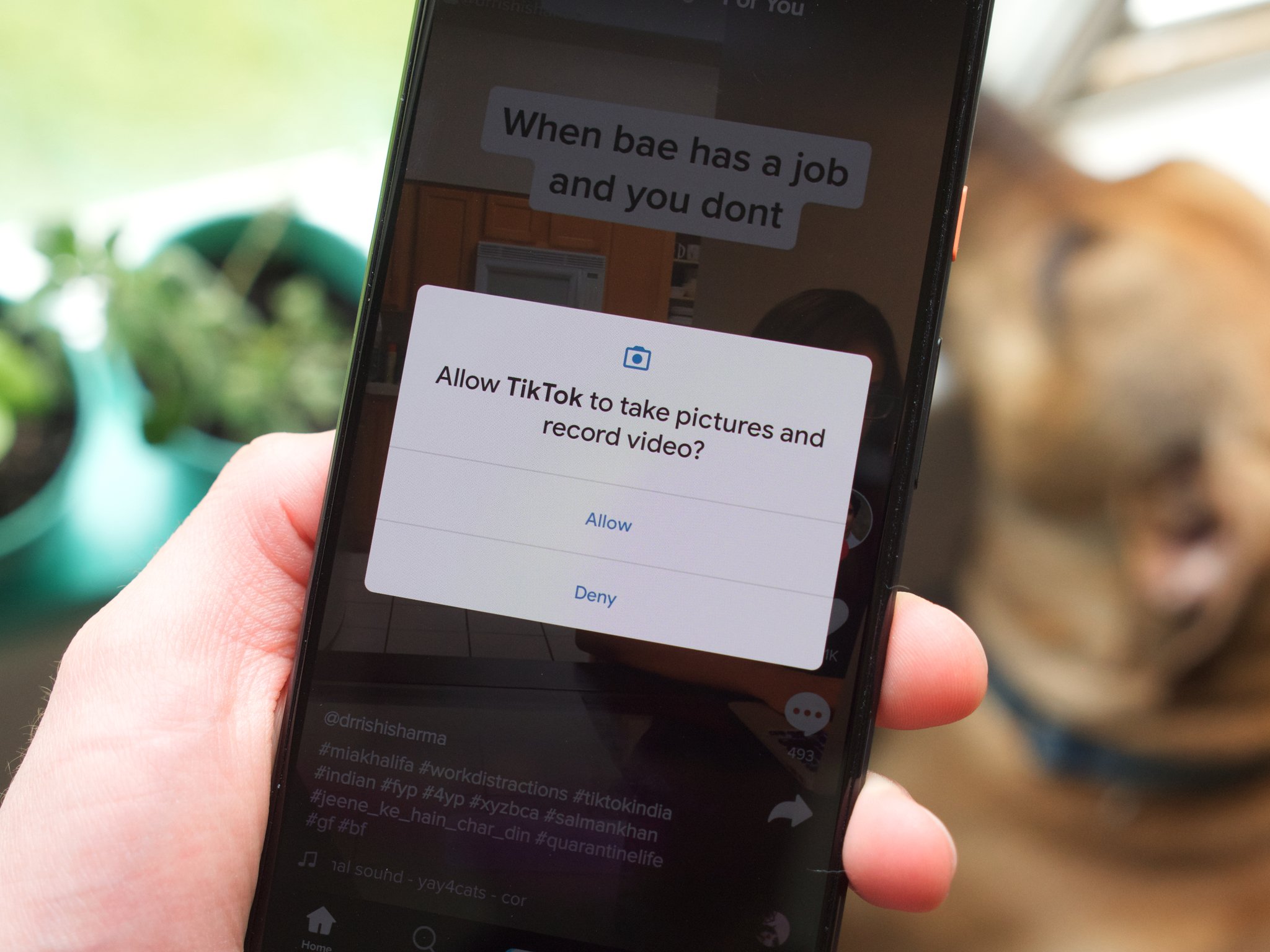
Excessive permissions can increase the amount of personal information an application can access. For example, a lighting application may need local network access to communicate with bulbs, but access to unrelated personal information may not be necessary.
Review permissions periodically through your phone, tablet, or device settings. Ask yourself whether each permission serves a clear function.
A useful rule is simple: give a device only the access it needs to perform its intended job.
This permission-minimization approach supports the broader privacy strategy promoted by revolvertech, where convenience should not automatically take priority over control of personal information.
Leaving the Default Router Configuration Unchanged
The home router is the central gateway connecting many smart devices to the internet. Yet homeowners sometimes focus heavily on securing individual gadgets while leaving the router with its original configuration.
Default administrator credentials, outdated firmware, unnecessary services, and poorly configured wireless settings can weaken the network as a whole. A compromised router may expose multiple connected devices simultaneously.
Consider making these improvements:
- Change the router’s default administrator password.
- Use strong Wi-Fi encryption.
- Install available router firmware updates.
- Disable unnecessary remote administration.
- Create a separate network for smart devices when supported.
- Review connected-device lists regularly.
- Replace aging routers that no longer receive security updates.
A separate guest or IoT network can be especially useful because it creates additional separation between smart appliances and computers containing sensitive documents. Network segmentation does not eliminate every threat, but it can limit the potential impact of a compromised device.
Sharing Smart Home Accounts With Too Many People
Smart home platforms often allow family members, guests, technicians, or service providers to access connected systems. Sharing one master username and password with everyone may seem convenient, but it reduces accountability and makes access management difficult.
If a platform supports individual user profiles, use them instead of distributing a single account. Different people can then receive different levels of access based on what they actually need.
For example, a family member might need complete control over lighting and thermostats, while a temporary guest may only need access to selected functions. When someone no longer needs access, their account can be removed without changing credentials for everyone else.
Account sharing also creates privacy concerns because some smart-home platforms store activity histories. Individual profiles make it easier to understand who has access and reduce the temptation to keep former users connected indefinitely.
Overlooking Smart Camera Privacy
Smart cameras provide useful security capabilities, but they can also collect some of the most sensitive information inside and around a home. Video recordings may reveal family routines, visitors, children’s activities, deliveries, or periods when nobody is home.
Camera placement should therefore receive careful consideration. Avoid positioning indoor cameras toward highly private areas unless there is a compelling reason. Check whether cameras offer privacy shutters, scheduled recording, activity zones, or local storage options.

Cloud recording settings also deserve attention. Users should understand how long recordings are retained and who can access them. If unnecessary recordings are stored indefinitely, the amount of sensitive information associated with the account increases.
revolvertech security practices encourage homeowners to think beyond the camera itself and examine the entire recording lifecycle, including capture, transmission, storage, account access, and deletion.
Failing to Review Privacy Settings
Many smart-home devices come with numerous privacy controls, but users often configure them once and never revisit them. Software updates can introduce new features, settings can change, and household requirements may evolve over time.
A periodic privacy review can identify settings that no longer make sense. Check voice-history storage, location tracking, personalized advertising, activity logs, cloud backups, third-party integrations, and data-sharing preferences.
A practical privacy review might include:
- Checking which devices are actively connected.
- Reviewing stored voice or video history.
- Removing unused integrations.
- Turning off unnecessary data collection.
- Checking account recovery methods.
- Reviewing notification settings.
- Deleting old user accounts.
Think of privacy settings as an ongoing maintenance task rather than a one-time setup process.
Connecting Unknown or Untrusted Devices
Smart homes frequently grow over time. A homeowner might purchase an inexpensive smart plug, lighting controller, camera, or sensor because it offers an attractive price. However, unknown or poorly supported products may create additional privacy and security concerns.
Before adding a new connected device, investigate its security capabilities. Consider whether the manufacturer provides regular software updates, supports secure authentication, clearly explains data practices, and maintains the product over time.
Extremely low-cost devices are not automatically unsafe, but price should not be the only purchasing factor. A connected product remains part of your digital environment after installation, so long-term support matters.
The approach associated with revolvertech places importance on evaluating the security lifecycle of a device rather than judging it solely by its features or appearance.
Allowing Unnecessary Voice Features
Voice assistants can make smart homes extremely convenient, but microphones introduce another privacy consideration. A voice-enabled device may process spoken commands and, depending on its configuration, retain recordings or related activity data.
Users should understand how wake-word detection works and what happens after a command is recognized. Review voice-history settings and delete stored recordings when appropriate. If a microphone is unnecessary in a particular room, consider disabling the feature.
Households should also be careful when discussing highly sensitive information near always-listening devices. Convenience is valuable, but awareness of how voice data is processed helps users make more informed decisions.
Ignoring Old Devices That Are No Longer Used
An old smart device may remain connected even after it has been replaced. Keeping unused gadgets online creates unnecessary exposure and makes it harder to maintain an accurate picture of the household network.
When removing a device, do more than unplug it. Remove it from the associated account, revoke connected permissions, delete stored data when possible, and perform a factory reset before giving it away or selling it.
The same principle applies to discontinued products. If a manufacturer no longer provides security updates, replacing the device may be safer than keeping it permanently connected.
Understanding the Biggest Smart Home Privacy Risks
Different smart-home mistakes create different levels of exposure. Prioritizing the most important areas can help homeowners improve security without becoming overwhelmed.
| Privacy Mistake | Potential Risk | Recommended Action |
|---|---|---|
| Weak passwords | Unauthorized account access | Use unique strong passwords |
| Outdated firmware | Exploitable software weaknesses | Enable automatic updates |
| Excessive permissions | Unnecessary data access | Review and restrict permissions |
| Poor router security | Multiple devices exposed | Secure and update the router |
| Shared master accounts | Difficult access control | Create individual user profiles |
| Unsecured cameras | Exposure of private footage | Review placement and recording settings |
| Unused connected devices | Forgotten attack points | Remove or reset old devices |
| Excessive data retention | More personal information stored | Delete unnecessary history |
This simple framework can help homeowners identify where their attention is most needed. Security does not require perfect technical knowledge; it requires consistent attention to the systems already inside the home.
Creating a Practical Smart Home Security Routine
A strong privacy strategy becomes easier when security checks are incorporated into an existing routine. Instead of waiting for a security problem, homeowners can perform a short monthly review.
Start with the router and check whether new devices have joined the network. Next, review important smart-home accounts for unfamiliar activity. Confirm that firmware and mobile applications are current. Then check camera, microphone, location, and data-retention settings.
Every few months, review connected users and third-party integrations. Remove accounts and applications that are no longer needed. If a household purchases a new device, perform these checks during installation rather than postponing them.
A simple routine might look like this:
- Check router-connected devices.
- Install available security updates.
- Review important account activity.
- Remove unused integrations.
- Review camera and microphone settings.
- Delete unnecessary stored data.
- Confirm that old devices are disconnected.
Consistency is more valuable than complicated security practices that are performed only once.
Building Better Privacy Habits for the Future
Smart home technology will continue becoming more integrated into everyday life. Future devices may offer greater automation, artificial intelligence, personalized recommendations, and increasingly sophisticated sensors. These improvements can make homes more efficient, but they may also increase the amount of information collected about household behavior.
That makes privacy awareness increasingly important. Consumers should evaluate new devices not only according to price and features but also according to security support, account protection, update policies, data controls, and integration options.
The best smart home is not necessarily the one with the greatest number of connected devices. It is the one where every device has a clear purpose and is managed responsibly. revolvertech security guidance highlights the value of combining strong account protection, sensible permissions, secure networking, timely updates, and regular privacy reviews.
Conclusion
Smart-home technology can provide comfort, automation, energy efficiency, and greater control, but convenience should never mean ignoring privacy. Weak passwords, outdated software, excessive permissions, poorly secured routers, unnecessary accounts, exposed cameras, and forgotten devices can all create avoidable risks. The good news is that most privacy improvements are practical and manageable. Strengthen your passwords, activate multi-factor authentication, update devices, secure the router, limit application permissions, review camera and microphone settings, and remove products that are no longer supported. Most importantly, make privacy checks a regular habit instead of treating security as a one-time setup task.