


Smart homes have made everyday life more convenient by connecting lights, cameras, locks, speakers, thermostats, televisions, and other appliances to the internet. A connected home can be controlled from a smartphone, automated with schedules, and customized around a family’s daily routine. However, this convenience also creates new security risks. Every internet-connected device can become a possible entry point for cybercriminals if it is not properly protected. Strong passwords, regular updates, secure networks, and careful device management are now essential parts of responsible smart home ownership. This guide shares practical revolvertech advice for protecting connected devices and reducing unnecessary risks. Whether you have only a few smart gadgets or an entire automated home, taking the right security steps can help protect your privacy, personal information, and digital environment.
Why Smart Home Security Requires Extra Attention
Traditional home security focused mainly on physical protection, including doors, windows, locks, alarms, and surveillance systems. A smart home adds another layer because many devices constantly communicate through wireless networks and online services. A security camera may send video to an application, while a smart lock receives commands from a mobile phone. Voice assistants, sensors, and entertainment systems may also collect information to provide personalized features.
The more connected devices a household uses, the more important cybersecurity becomes. One poorly protected device may create a weakness that affects other connected systems. For example, an outdated smart camera with a weak password could be easier for an attacker to target than a well-protected computer. According to the revolvertech approach to digital safety, users should view every connected device as part of a larger security system rather than as an isolated gadget.
Start With a Secure Home Wi-Fi Network
Your home Wi-Fi network is the foundation of smart device security. Most connected products depend on the router to communicate with applications and online services. If the network itself is poorly protected, even secure individual devices may face unnecessary risks. The first step is changing the router’s default administrator username and password.
Create a strong Wi-Fi password that combines uppercase letters, lowercase letters, numbers, and symbols. Avoid using names, birthdays, addresses, or other easily guessed information. It is also important to use a modern security protocol supported by your router and regularly check for firmware updates.
Consider these basic network security practices:
- Change default router login credentials immediately.
- Create a long and unique Wi-Fi password.
- Enable the strongest available wireless encryption.
- Keep router firmware updated.
- Disable features that you do not use.
- Review connected devices periodically.
- Remove old devices from the network.
A secure network creates a stronger first line of defense for every smart product connected to it.
Use Separate Networks for Smart Devices
One effective way to improve security is separating smart home devices from computers, phones, and other sensitive equipment. Many modern routers allow users to create a guest network or a dedicated network for internet-connected gadgets. This approach limits unnecessary communication between different groups of devices.
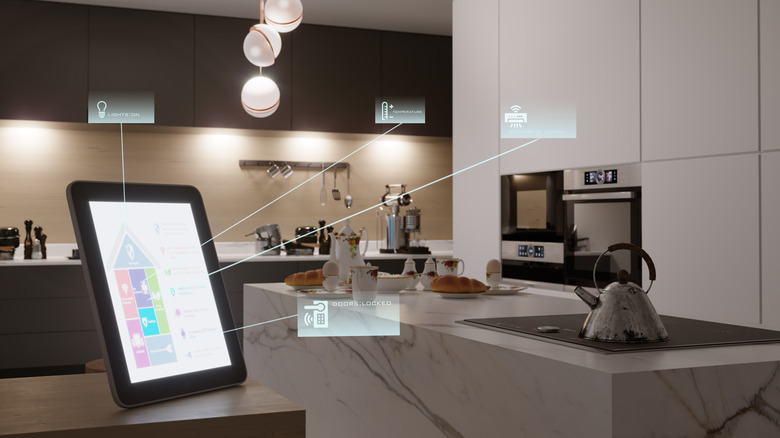
For example, smart bulbs, plugs, speakers, and appliances can operate on a separate network while laptops containing important files remain on the primary network. If one less secure device experiences a problem, network separation may reduce the chance of that issue spreading to more valuable devices.
This strategy is especially useful for homes with many connected products from different manufacturers. revolvertech recommends organizing devices based on their security needs instead of connecting every gadget to the same network without considering potential risks. Proper segmentation can make a smart home easier to manage and improve overall protection.
Change Default Passwords on Every Device
Many connected products arrive with default usernames or passwords. Some devices even use the same credentials across large numbers of units. Leaving these settings unchanged can create a major security weakness. Default information may be easier for attackers to discover, making it important to replace it as soon as the device is installed.
Each smart device should have a strong and unique password whenever the manufacturer allows users to create one. Reusing the same password across multiple applications and devices should also be avoided. If one password becomes exposed, unique credentials can help prevent access to other accounts.
A password manager can simplify this process by securely storing long and complex passwords. The goal is not simply to create passwords that are difficult to guess but to ensure that each important account uses different credentials.
Enable Two-Factor Authentication
Two-factor authentication adds an additional security step beyond a password. When enabled, users may need to confirm their identity through an authentication application, verification code, security key, or another approved method.
This extra layer can be especially useful for accounts controlling:
- Smart security cameras
- Video doorbells
- Smart locks
- Home automation platforms
- Router administration settings
- Cloud-based device dashboards
Even if a password is compromised, an attacker may still be unable to access the account without the second verification factor. Not every smart home service supports this feature, but users should enable it wherever it is available. revolvertech encourages homeowners to prioritize two-factor authentication for devices that manage physical access, record video, or store sensitive household information.
Keep Software and Firmware Updated
Software updates are not only designed to introduce new features. They often fix security weaknesses discovered after a device is released. Manufacturers may provide firmware updates for routers, cameras, thermostats, and other connected products to improve stability and address vulnerabilities.
Enable automatic updates whenever possible, especially for devices that are difficult to monitor manually. For products that require manual updates, set a regular schedule to check for new versions. Before purchasing a smart device, it is also useful to consider whether the manufacturer has a good history of providing long-term support.
| Security Action | Why It Matters | Recommended Practice |
|---|---|---|
| Change default passwords | Prevents easy unauthorized access | Do this during setup |
| Update firmware | Fixes known security weaknesses | Check regularly or enable automatic updates |
| Use two-factor authentication | Adds another layer of account protection | Enable where available |
| Secure Wi-Fi | Protects connected communications | Use strong encryption and a unique password |
| Remove unused devices | Reduces unnecessary attack points | Review devices every few months |
| Separate device networks | Limits exposure between devices | Use a guest or dedicated smart device network |
Regular updates are one of the simplest but most valuable habits in modern home cybersecurity.
Review Privacy Settings Carefully
Smart devices can collect more information than many users realize. Cameras may record video, voice assistants may process audio commands, and smart appliances may gather usage data. Reviewing privacy settings helps users understand what information is collected and how it is shared.
Turn off features that are unnecessary for your needs. For example, disable microphone access when a device does not require voice commands or reduce data-sharing permissions when those options are available. Check application permissions on smartphones and make sure each connected device only has access to functions required for normal operation.
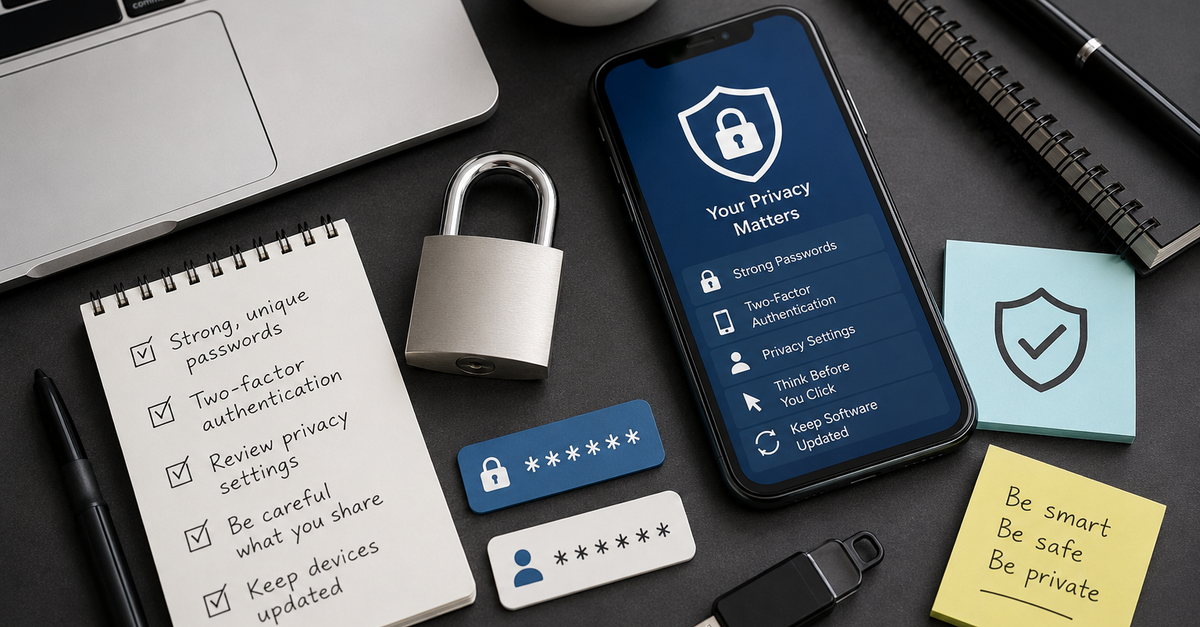
The revolvertech security mindset is based on reducing unnecessary exposure. A device cannot unnecessarily share information if permissions and features that are not required are disabled. Small privacy adjustments can make a meaningful difference across an entire connected home.
Secure Smart Cameras and Video Devices
Smart cameras and video doorbells deserve special attention because they may capture sensitive images and conversations. A compromised camera can create serious privacy concerns, making strong account security essential.
Start by changing default credentials and enabling two-factor authentication. Keep the camera firmware updated and review who has permission to access live video or recorded footage. Remove former household members or old accounts that no longer need access.
It is also wise to check camera settings after major application updates because privacy controls may change. Place cameras carefully and avoid recording areas where privacy expectations are especially high. A strong combination of technical protection and responsible placement helps ensure that security devices actually improve safety rather than creating additional risks.
Be Careful With Third-Party Apps and Integrations
Many smart home platforms allow users to connect devices from different manufacturers. These integrations can make automation more convenient, but they may also increase the number of applications with access to your information.
Before connecting a third-party service, consider what permissions it requests. An automation service that only controls lights may not need access to camera recordings or door lock settings. Review permissions regularly and disconnect services that you no longer use.
Keep your smart home environment simple whenever possible. Installing multiple unnecessary applications can create confusion and make security management more difficult. revolvertech recommends using trusted services and reviewing connected accounts periodically to ensure that old integrations do not remain active without a purpose.
Remove Devices You No Longer Use
Old smart devices are often forgotten after being replaced. A previous camera, speaker, plug, or appliance may remain linked to an account even when it is no longer actively used. Before selling, donating, or disposing of a connected product, perform a factory reset and remove it from all associated applications and online accounts.
You should also check your router’s connected device list. Unknown or unused devices should be investigated and removed when appropriate. Regular audits can help identify forgotten products that still have access to the network.
A simple device review every few months can answer important questions:
- Do I still use this device?
- Is its software still supported?
- Does it have access to sensitive information?
- Are its privacy settings appropriate?
- Should it remain connected to the network?
This process reduces clutter and improves security visibility.
Create a Simple Smart Home Security Routine
The best security plan is one that is easy to maintain. Homeowners do not need to become cybersecurity experts to follow good digital practices. A simple routine can help keep connected devices under control throughout the year.
Once a month, review important accounts, check for security alerts, and confirm that major devices are working correctly. Every few months, review router settings and remove unused applications or connected devices. When purchasing new technology, spend time configuring privacy and security settings instead of rushing through installation.
The most important habits include using strong credentials, enabling two-factor authentication, updating software, securing Wi-Fi, and monitoring account access. Following these practices consistently is more valuable than making complicated changes that are difficult to maintain.
Conclusion
Smart homes offer impressive convenience, but connected technology should always be supported by responsible security practices. Every camera, lock, speaker, appliance, and sensor can become part of the home’s digital security environment. By securing the Wi-Fi network, using unique passwords, enabling two-factor authentication, installing updates, reviewing privacy settings, and removing unused devices, homeowners can significantly reduce common risks.