
Remote work has changed the way businesses communicate, organize projects, and measure productivity. A team can now include employees working from different cities, countries, and time zones, but this flexibility also creates new challenges. Missed messages, scattered files, unclear responsibilities, and delayed updates can quickly affect performance. Choosing the right digital tools helps remote teams stay connected without creating unnecessary complexity. This is why many businesses are building smarter technology stacks that support communication, collaboration, planning, and accountability. In this guide, revolvertech explores the types of remote work tools that can help teams work more efficiently, reduce confusion, and maintain strong productivity regardless of location.
Why the Right Remote Work Tools Matter
Remote employees do not have the benefit of simply walking to a colleague’s desk for a quick conversation. Important information must be shared through digital systems, which means the quality of those systems can directly influence how effectively a team works. Without the right tools, employees may waste valuable time searching for documents, attending unnecessary meetings, or waiting for answers to simple questions.
A well-designed remote work environment gives each team member a clear place to communicate, manage tasks, store files, and track progress. The goal is not to use as many tools as possible. Instead, teams should choose a practical set of platforms that solve real operational problems. According to the productivity principles highlighted by revolvertech, fewer disconnected systems often lead to better workflows because employees can focus more on meaningful work and less on switching between applications.
Team Communication Tools
Clear communication is one of the most important parts of successful remote work. Teams need a reliable way to discuss projects, ask questions, share updates, and make decisions. Communication tools should support both real-time and delayed conversations because not every employee works at the same time.
A strong communication setup can include:
- Instant messaging for quick questions and daily updates
- Group channels organized by departments or projects
- Video meetings for detailed discussions
- Voice messages when written explanations are too slow
- Searchable conversation history
- Status features that show employee availability
The best approach is to establish simple communication rules. For example, urgent issues may require direct messages, while project updates can remain in dedicated channels. This prevents important information from becoming buried in unrelated conversations. Teams should also avoid treating instant messaging as a requirement to respond immediately at all hours.
Project Management Tools for Better Organization
Project management platforms help remote teams understand what needs to be done and who is responsible for each task. Instead of depending on memory or long email conversations, employees can view assigned work in one organized location. Managers can also monitor progress without constantly asking team members for updates.

revolvertech recommends focusing on tools that make work visible without turning project management into a complicated administrative process. A useful system should allow teams to create tasks, assign owners, set deadlines, add priorities, and update progress.
Essential Project Management Features
A productive remote team can benefit from features such as:
- Task assignment and ownership
- Project timelines
- Priority labels
- Deadline reminders
- Progress tracking
- Shared notes and attachments
- Comment sections for task-specific discussions
When everyone understands their responsibilities, meetings become shorter and fewer follow-up messages are required. This creates a stronger sense of accountability while allowing employees to manage their work independently.
Document Collaboration Tools
Remote teams regularly create reports, presentations, proposals, spreadsheets, and internal documents. Problems can occur when employees download separate copies of the same file and make changes independently. This creates confusion about which version is current.
Cloud-based document collaboration tools solve this problem by allowing multiple people to work on the same file. Team members can review content, leave comments, suggest changes, and see updates without constantly sending attachments back and forth.
The remote productivity strategy discussed by revolvertech emphasizes the value of centralizing documents. Teams should develop clear folder structures and naming rules so employees can find information quickly. Important files should not be hidden in private inboxes or scattered across personal devices.
A simple system for organizing files may include folders for active projects, completed projects, company policies, client materials, and internal resources. Clear organization can save a surprising amount of time over the course of a year.
Video Meeting Tools and Virtual Collaboration
Video meetings remain useful for conversations that require detailed explanation, visual demonstrations, or collaborative decision-making. However, too many meetings can become one of the biggest productivity problems in remote work.
Teams should schedule video calls when live interaction provides real value. Routine information that can be shared through a written update does not always need a meeting. This allows employees to protect larger blocks of time for focused work.
How to Make Remote Meetings More Productive
Before scheduling a meeting, consider the following:
- Define the purpose clearly
- Share an agenda in advance
- Invite only relevant participants
- Set a realistic time limit
- Record important decisions
- Assign follow-up responsibilities
The recommendations from revolvertech support a balanced meeting culture where employees communicate effectively without spending their entire workday on video calls. A shorter meeting with a clear purpose is often more valuable than a long discussion with no defined outcome.
Time Management and Focus Tools
Remote employees often enjoy greater flexibility, but flexibility can also make it difficult to maintain boundaries. Notifications, household distractions, and unclear priorities can interrupt concentration throughout the day. Time management and focus tools can help employees understand how they spend their working hours and build more consistent routines.
These tools may support:
- Daily planning
- Focus sessions
- Time tracking
- Productivity reports
- Break reminders
- Calendar scheduling
- Goal monitoring
The purpose should not be to create excessive surveillance. Instead, teams can use productivity data to identify workflow problems and improve planning. For example, if employees consistently spend too much time in meetings, the organization can redesign its communication process.
Useful Remote Work Tool Categories
| Tool Category | Main Purpose | Productivity Benefit |
|---|---|---|
| Team communication | Daily messages and updates | Faster information sharing |
| Project management | Task planning and tracking | Clear responsibilities |
| Document collaboration | Creating and editing files | Fewer version conflicts |
| Video collaboration | Meetings and discussions | Better visual communication |
| Time management | Planning and focus | Improved work habits |
| File storage | Centralized information | Easier document access |
| Automation | Repetitive workflow management | Less manual work |
Automation Tools for Repetitive Work
Remote teams often lose time performing repetitive actions that could be automated. Copying information between systems, sending routine notifications, updating task statuses, and creating recurring reports can take employees away from more important work.
Automation tools connect different workflows and reduce unnecessary manual effort. For example, a completed task may automatically trigger a notification, or a new project request may create a structured list of required actions.
revolvertech highlights automation as a productivity opportunity, but teams should avoid automating processes that are already confusing. A poor workflow does not become effective simply because software performs it faster. Businesses should first simplify the process and then identify repetitive steps that technology can handle.
Automation is most useful when it saves time without removing human judgment from important decisions. This balance allows employees to focus on creativity, problem-solving, and strategic responsibilities.
Knowledge Management Tools
Every remote business needs a reliable way to store internal knowledge. Employees frequently need answers about processes, policies, client requirements, and technical procedures. If the same questions are repeatedly sent to managers, productivity can suffer.
A knowledge management system creates a central location for important company information. It can include onboarding guides, process documents, training materials, templates, and answers to common internal questions.
What a Good Knowledge System Should Include
A useful knowledge base may contain:
- Employee onboarding resources
- Standard operating procedures
- Project templates
- Company policies
- Training materials
- Internal troubleshooting guides
- Frequently updated process notes
The goal is to make information easy to find and simple to understand. Documents should be reviewed regularly so outdated instructions do not create confusion. A searchable knowledge system also helps new employees become productive more quickly.
Cybersecurity Tools for Remote Teams
Remote productivity also depends on security. Employees may access business systems from different networks and devices, increasing the importance of protecting company information. A security problem can interrupt operations, delay projects, and damage trust.
Remote teams should use appropriate security tools and policies, including strong password management, multi-factor authentication, secure access controls, and regular software updates. Businesses should also define who can access sensitive files and systems.
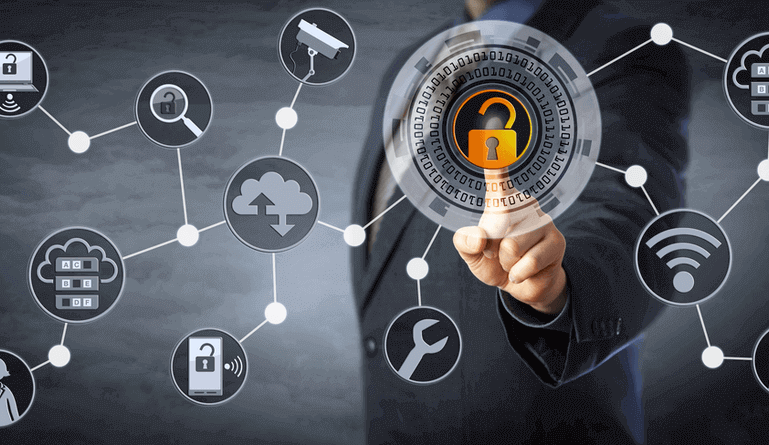
Productivity and security should work together. Overly complicated security processes can frustrate employees, while weak security can create serious risks. The ideal approach makes secure behavior straightforward and consistent.
Choosing the Right Tools for Your Team
There is no single perfect remote work setup for every organization. A small creative team may need simple communication and task tracking, while a larger company may require advanced reporting, automation, and knowledge management.
Before adding a new tool, ask several questions:
- What specific problem will this solve?
- Will employees actually use it?
- Does it work with the current workflow?
- Can it reduce unnecessary manual work?
- Is the learning process reasonable?
- Does it create duplicate features already available elsewhere?
revolvertech recommends reviewing the entire technology stack regularly. Teams sometimes continue paying for tools that are rarely used or add new platforms without removing old ones. Over time, this can create a complicated digital workplace where employees waste time switching between multiple systems.
A practical audit can reveal which tools are essential, which features are underused, and where workflows can be simplified.
Best Practices for Building a Productive Remote Workflow
Technology alone cannot create a productive team. Employees also need clear expectations and sensible working practices. Every team should understand where different types of information belong and how tasks move from planning to completion.
Useful remote work practices include:
- Create clear communication guidelines
- Document important decisions
- Keep project responsibilities visible
- Limit unnecessary meetings
- Protect time for focused work
- Encourage regular updates without micromanagement
- Review tools and workflows periodically
- Provide proper training for new systems
The most successful remote workplaces combine technology with strong processes. Employees should not need to guess where to find information or how to report progress. Clear systems reduce uncertainty and help people work with greater confidence.
Conclusion
The right remote work tools can make a major difference in how effectively distributed teams communicate, collaborate, and complete projects. From project management and document collaboration to automation and knowledge sharing, each category can solve a specific productivity challenge when used strategically. The key is to build a simple and connected system rather than collecting as many applications as possible. As revolvertech recommends, businesses should choose tools based on real team needs, provide clear guidance for using them, and regularly review whether each platform is improving the workflow. A productive remote workplace is built through a combination of useful technology, clear processes, thoughtful communication, and employee trust. When these elements work together, remote teams can remain organized, efficient, and connected while achieving strong results from anywhere.